Listener Manual
(There is also a Podcaster Manual.)
This manual describes the use of Panoptikum from the listener perspective. Panoptikum.social offers basic functionality plus additional functionality for registered users.
Basic functionality for listeners
- Latest recommendations
- Latest podcasts
- Latest episodes
- Top 10 subscribed podcasts
- Top 5 liked podcasts
- Podcast discovery: categories, random, search
Panoptikum offers you the chance to discover new podcasts for your podcatcher.
Start Page
The start page of Panoptikum offers you a wide range of possibilities to discover new podcasts.
Latest Recommendations
Registered users can write personal recommendations for podcasts. Under latest recommendations you see the name of the podcast, the username of the recommender, the date of the recommendation and the recommendation text.
With a click on ...
- the name of the podcast you reach the Panoptikum page of this podcast with further information
- the username you get a list of all the podcasts liked by this user
- more... you get the latest 15 personal recommendations and more
Latest Podcasts
Under latest podcasts you find those podcasts that were recently added by registered users or the Panoptikum team to the database via upload of their OPML file. You see the name of the podcasts, the names of contributors, the date, when the podcast was added (available since) and the description of the podcast.
With a click on ...
- the name of the podcast you reach the Panoptikum page of this podcast with further information
- the name of a contributor you reach the Panoptikum page of the contributor with further information
- more... you get the 10 latest podcasts and more
Latest Episodes
Under latest episodes you find those podcast episodes, that were recently published. Panoptikum regularly checks the listed podcast feeds for new episodes and gets the episode information from the feed. You see the title of the episode, the name of the podcast, the names of the contributors and date plus publishing time.
With a click on ...
- the title of the episode you reach the Panoptikum page of this episode with further information and you can directly listen to it via the embedded player
- the name of the podcast you reach the Panoptikum page of this podcast with further information
- the name of a contributor you reach the Panoptikum page of the contributor with further information on gigs and contributions
- more... you get the 10 latest episodes and more
Top 10 subscribed Podcasts
The registered users can upload the OPML-file exported from their podcatcher. Each podcast included in the OPML-file is then listed in Panoptikum. Based on the number of registered users that listed the same podcast Panoptikum can derive, which are the top 10 subscribed podcasts of its registered users. You see the name of the podcast and the number of users that have subscribed to this podcast. With a click on the name of the podcast you reach the Panoptikum page of this podcast with further information.
Top 5 Liked Podcasts
The registered users can like a podcast. This is independent from the subscription. A user can like a podcast without a subscription to it. You see the name of the podcast and the number of users that have liked it. With a click on name of the podcast you reach the Panoptikum page of this podcast with further information.
Rationale: You could still like a podcast, even if you don't find time to listen to it any more. There are just too many good podcasts out there :-)
Podcast Discovery: Categories, Random, Search
In the sidebar of every page several symbols and a search field are displayed.
Categories: A podcast can be assigned to categories. Based on this information Panoptikum shows which listed podcasts are available in each category. There are top level categories and subcategories. With a click on a category you reach the Panoptikum page for this category and see the subcategories and all the listed podcasts (sorted by language) within this category.
Random: Panoptikum offers many structured ways to discover new podcasts. You can use recommendations, latest podcasts, latest episodes, top subscribed, top liked and the category tree. With random you discover a new podcast per chance. With a click on "Random" Fortuna decides which of the podcasts listed in Panoptikum is presented with an episode.
Search: Just enter one or more terms in the search field and Panoptikum will show you all results in podcasts, episodes and personas ordered by relevance. Example
Listen to Episode
Panoptikum is using the Podlove Web Player on the episode page. This offers you several functions for listening to a podcast episode directly on the Panoptikum episode page:
Chapters: You can use the chapters for navigation directly in the web
player. The chapter you are listening to is marked.
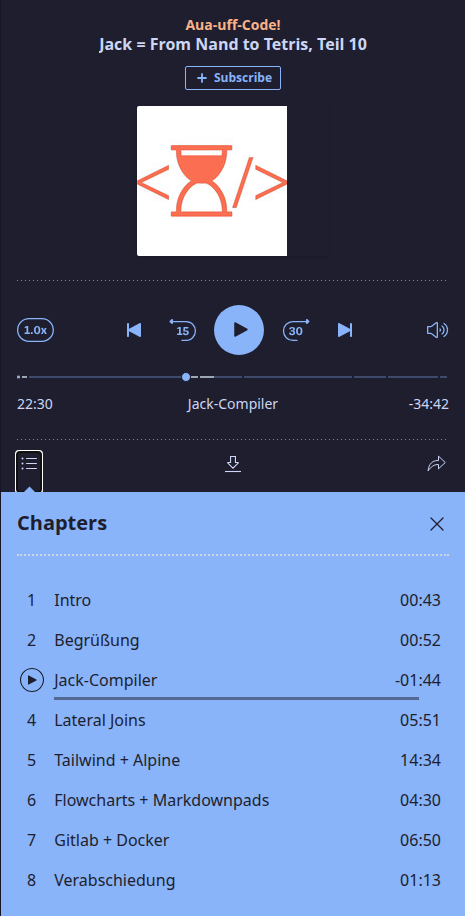 Speed and Volume: You can increase or decrease the speed (the button 1.0x
left of the controls) and adjust the volume (the speaker right of the
controls), see the picture above.
Speed and Volume: You can increase or decrease the speed (the button 1.0x
left of the controls) and adjust the volume (the speaker right of the
controls), see the picture above.
Share episode: You can share the complete episode
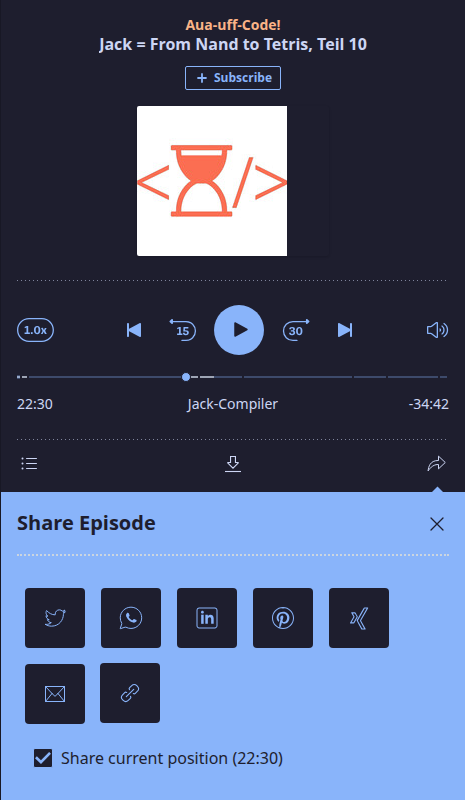
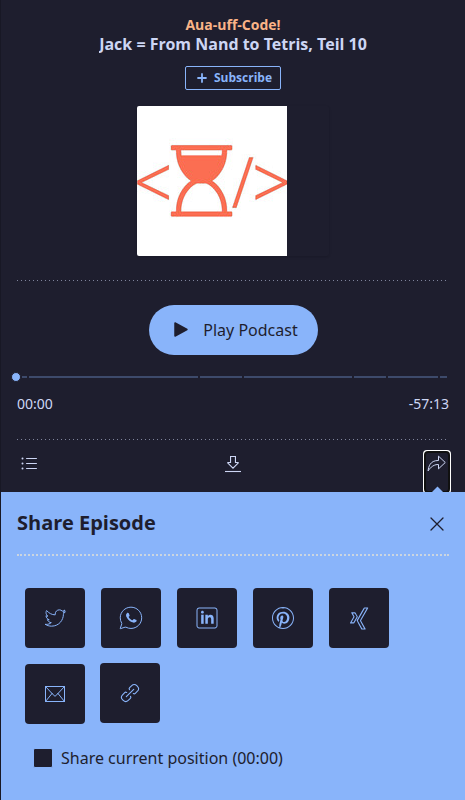 Share from a position: Tick "Share current position" to share the episode
from where you are listening right now.
Share from a position: Tick "Share current position" to share the episode
from where you are listening right now.
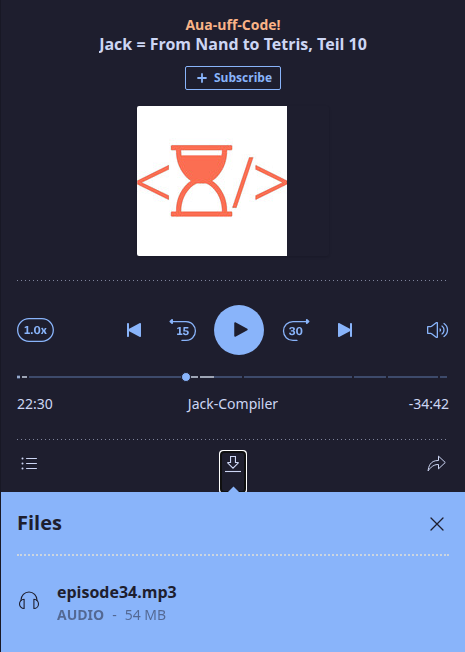
 Files: You can download the audio file of the episode.
Statistics
Panoptikum offers a great overview with its categories page. For those among us who just love figures and want to know exactly how many podcasts are in one categorie there are the hidden statistics. Try it out https://panoptikum.social/categories/stats. The number of podcasts per category are added to the update view of the categories page. It also works within the category. For example within https://panoptikum.social/categories/13/stats you can see how many podcasts are available per language. As the podcasts have to be counted on the fly, building this page takes a little more time. Please be patient!
Registration
Panoptikum offers additional functionality after the log in:
- Recommendations and likes of podcasts and episodes
- Introduction to new podcasts based on current subscriptions and likes
- Suggesting a new podcast
- Uploading OPML files to suggest several podcasts at once
Sign up
In the sidebar of all non-documentation pages you find a link to log in. You can Sign Up on the log in page and become a registered user.
You are asked for an email address (required for password recovery), a user name (used for your reviews, comments and likes) and a password (to log in). You can choose any user name as long as it has not been taken yet within Panoptikum.
Panoptikum tries to ask for (and save) only information, that is required to offer the service. Besides the information provided during registration, Panoptikum uses your uploaded subscription list (OPML file) to add podcasts to the Panoptikum podcast database. It stores and publishes that you are a subscriber of the podcast. Panoptikum stores and publishes your reviews, comments and likes.
Additional Functionality After Log In
In the sidebar of all non-documentation pages you find a link to Log In. After log in you see your user name in the sidebar of the non-documentation pages (in the example below the user name is demo). Below your user name you find a menu with the following functionalities:
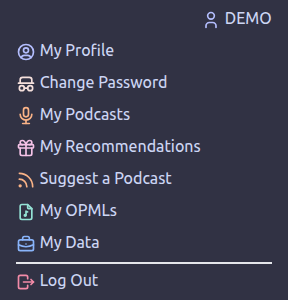
My Profile
You can see and edit your data (name, username, email, podcaster y/n, share followings y/n, share subscriptions y/n).
Change Password
You can change your password.
My Podcasts
You see information about you
- Subscriptions
- Podcasts I like
- Podcasts I follow
and get suggestions for new podcasts based on this information
- Listeners of the podcasts you listen to, also listen to
- Users, who like the same podcasts as you, also like
- The categories my podcasts are assigned to
My Recommendations
You see your podcast recommendations and can recommend subscribed podcasts you didn't recommend yet.
Suggest a Podcast
A podcast gets listed in Panoptikum when it is subscribed by at least one of its registered users. If you want to add just one podcast, do so with Suggest a Podcast.
You will be counted as a subscriber in the database. If you want to suggest several or all the podcasts you listen to at once, you can upload an OPML file with My OPMLs in your personal menu.
My OPMLs
My OPMLs open the upload dialogue for the OPML file. Your podcatcher (for example gPodder) can export the list of your podcast subscriptions (gPodder: Abonnements - zu OPML-Datei exportieren). This OPML-file is your subscription list that you can upload to Panoptikum after log in. If you upload your subscription list more than once, the latest upload amends the existing list. With your upload of the file you support Panoptikum - the information is needed for the listing of a podcast and the introduction to new podcasts based on your current subscriptions and likes.
My Data
My Data opens the page Account and offers all your data as a JSON-File with a Download button and shows you all your stored data. You can check what is stored the different areas and delete it per area. In the area itself you can either delete all entries or just individual entries.
Areas and possibilities
- OPML File: list of uploaded files, manageable in My OPMLs
- Personas: overview to your personas
- Invoices: all your Panoptikum invoices with date and file
- Subscribed Podcasts: list of all your subscriptions (links to podcast show page)
- Followed Podcasts: list of all podcasts followed by you (links to podcast show page)
- Liked Podcasts: list of all podcasts liked by you (links to podcast show page)
- Liked Episodes: list of all podcast episodes liked by you (links to episode show page)
- Liked Chapters: list of all podcast episode chapters liked by you (links to episode show page)
- Liked Users: list of all users liked by you (links to user show page)
- Followed Users: list of all users followed by you (links to user show page)
- Followed Personas: list of all personas followed by you (links to persona show page)
- Liked Personas: list of all personas liked by you (links to persona show page)
- Followed Categories: list of all categories followed by you (links to category show page)
- Liked Categories: list of all categories liked by you (links to category show page)
- Recommendations: list of all your recommendations with its text and the name of the recommended podcast or podcast episode
The page closes with the Danger Zone. You can directly delete your account there. With Delete my account your account including all the stored data is deleted.
Panoptikum can not restore your account after this action, but you can always sign up for a new Panoptikum account.
Recommendations and Likes
After log in you have additional possibilities on the different pages
- Podcast: recommend, like and follow
- Episode: recommend and like
- Chapters of an episode: recommend
On the page of a podcast you write your recommendation into the field
"Your recommendation" and send it with Recommend.

You have written a great recommendation of your favourite podcast and want to spread the word outside Panoptikum?
Below your name, next to your recommendation in Panoptikum, wait two
buttons for you to tweet or email your recommendation.

"tweet" opens X (Twitter) with your recommendation and the link to the podcast as text, which you can edit before you post it.
"mail" creates an email in your standard mail program. The subject includes the podcast and your recommendation, the mail body the link to the recommended podcast. You can edit both before send. For the recommendation above it looks like this:
Subject: 👍 Aua-uff-Code!
         💬 Two developers build a computer from logic gates up to a compiler, great to listen along to while reading the book.
         🔊

https://panoptikum.social/podcasts/104